
DWV Pro
Size drain, waste and vent pipe from fixture units.

What it does
DWV Pro is for plumbers and inspectors who size drain, waste and vent piping on the job. You tally the fixtures, and the app gives you drainage fixture units, minimum drain and vent sizes, and slope and fall based on IPC tables. It works offline, with no login.
Made for: Plumbers, plumbing apprentices and inspectors
Fixture unit tally
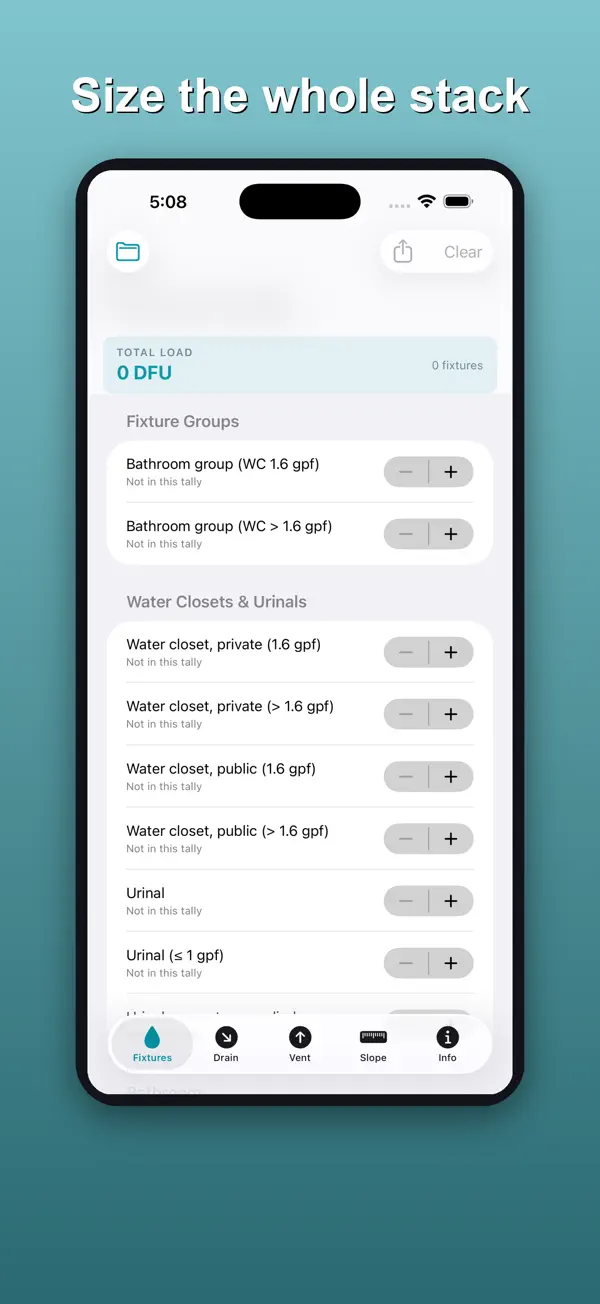
Add fixtures from IPC Table 709.1 and see each one's DFU load and the running total.
Drain sizing
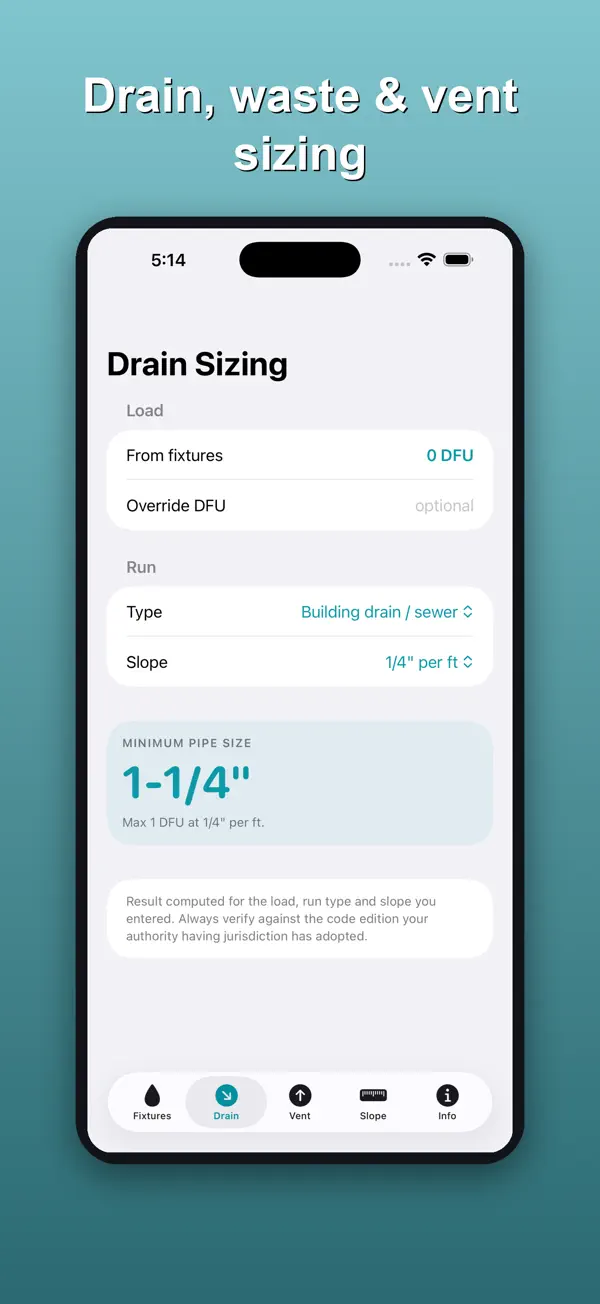
Get the minimum pipe size for a building drain or sewer, a horizontal branch or a stack. A building drain serving a water closet is held to the 3-inch minimum.
Vent sizing
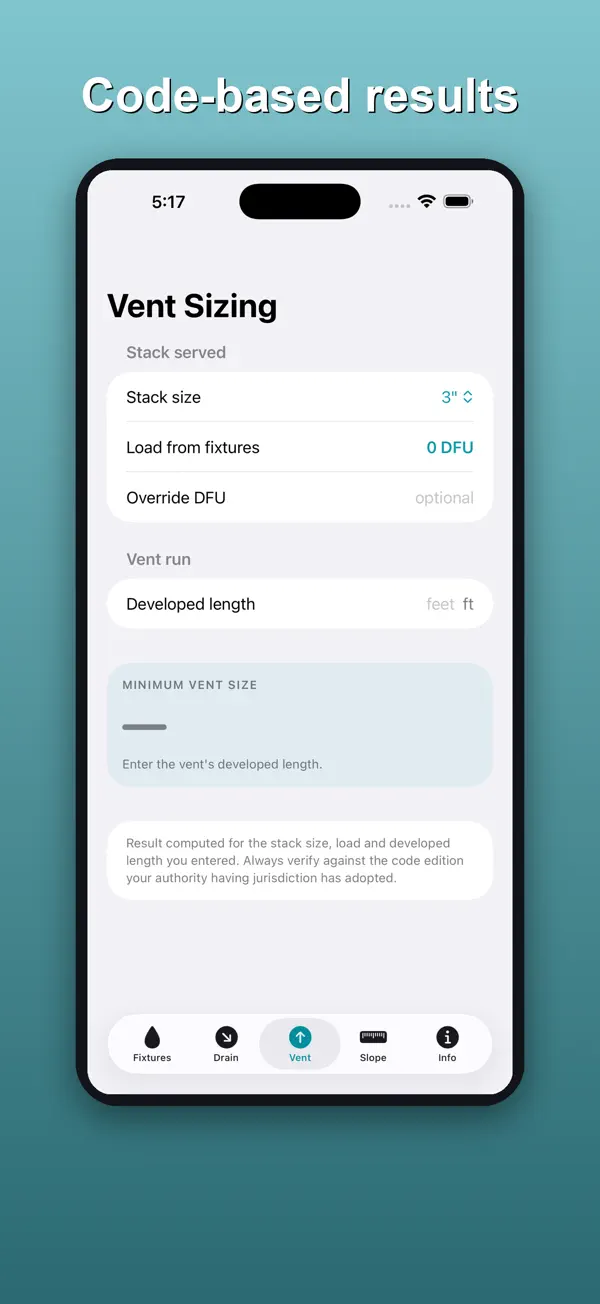
Find the minimum vent size from the stack size, the load and the developed length.
Slope, fall and invert
Pick a nominal size and slope, enter the run length and an optional upstream invert, and get the total fall.
Saved projects and PDF summary
Save a load as a named project and share a PDF sizing summary.
Works offline
Everything runs on your device, so it works in a crawlspace with no signal.
How it works
A quick walkthrough of the main job, using the app's own screens.
Build the fixture load
On the Fixtures tab, add the fixtures on the job and watch the TOTAL LOAD in DFU.
Size the drain
On the Drain tab, choose the Type of run and the Slope to see the minimum pipe size for that load.
Size the vent
On the Vent tab, set the stack size and developed length to get the minimum vent size.
Check slope and fall
On the Slope tab, enter the run length to see the fall, then save the project or export the Summary PDF.
Price
Free download with a one-time unlock
- Vent & Slope unlock: $4.99 one-time
Purchases are billed by Apple through your App Store account. See our refund policy.
Privacy and support
Nothing leaves your phone: the app collects no data, has no account and makes no network requests.
Questions
How much does it cost?
The fixture tally and drain sizing are free. Vent & Slope is a one-time $4.99 purchase that adds vent sizing, slope, fall and invert elevations, saved projects and the PDF sizing summary. It is not a subscription.
Which code is it based on?
The values come from commonly adopted International Plumbing Code tables. DWV Pro is not affiliated with or endorsed by the ICC. Always verify against the code edition your authority having jurisdiction has adopted.
Does it need a signal?
No. The app has no network code and works fully offline.
Does it collect my data?
No. There is no account, analytics or tracking, and your projects stay on your iPhone.
More from Rippy Productions
-
Turn a plan into a priced estimate and get cited code answers.
BusinessFlagship Free -
An AI agent desk on your iPhone. No account, no key needed.
Developer ToolsFlagship Free -
Find the stage where you lose matches, then fix that stage.
LifestyleFlagship Free -
Fire alarm battery and NAC voltage drop calcs on your phone.
ProductivityFree