Paycheck Planner
See what is safe to spend before your next payday.

What it does
Paycheck Planner is for people who budget from one payday to the next, not by category. You enter your balance, your paycheck and your bills, and it works out which bills land before your next payday. It subtracts them and shows one number: what is safe to spend.
Made for: People who live paycheck to paycheck and budget around payday
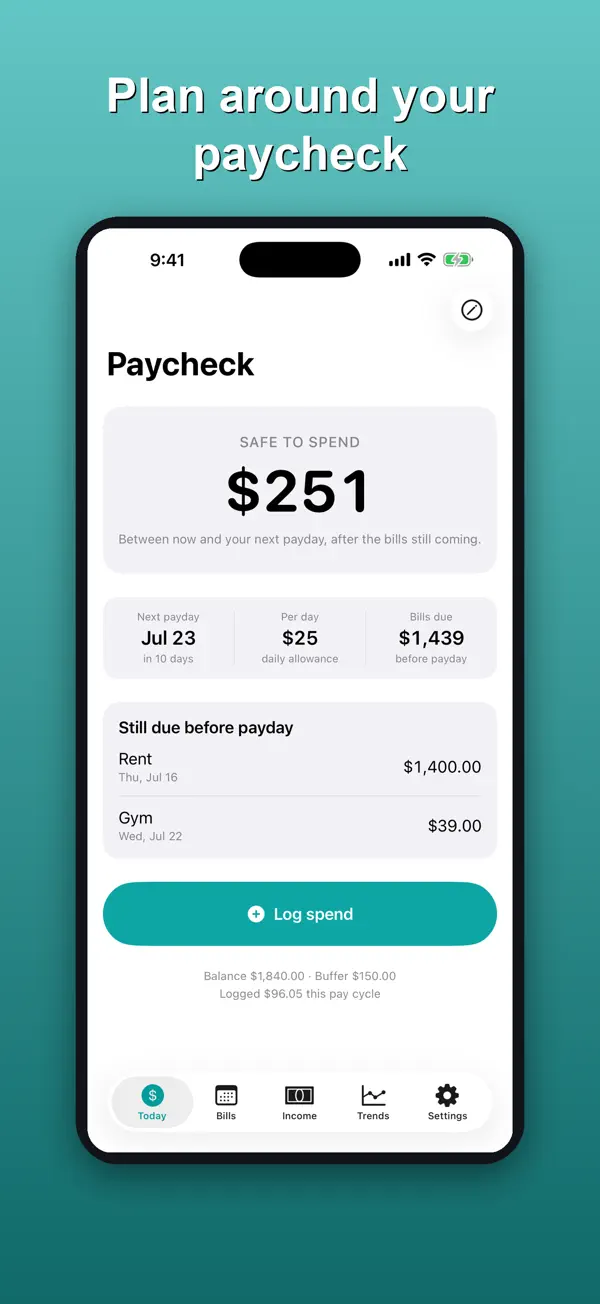
Safe to spend
One number on the front screen: your balance minus the bills still due before your next payday.
Next payday and a daily pace
Shows the date of your next payday, the days until it, and a per-day amount so you can pace the money.
Real pay schedules
Handles weekly, every 2 weeks, the 1st and 15th, and monthly pay, including a monthly payday on the 31st in a 30-day month.
Bills still due
Lists the bills landing before payday and marks the ones already paid.
One-tap spend logging
Log a purchase from the Today screen and the number updates.
No bank linking
You type in your balance. The app never asks for bank credentials and has no bank connection.
How it works
A quick walkthrough of the main job, using the app's own screens.
Add your income
On the Income tab, tap Add income and enter how much you get paid and how often.
Add your bills
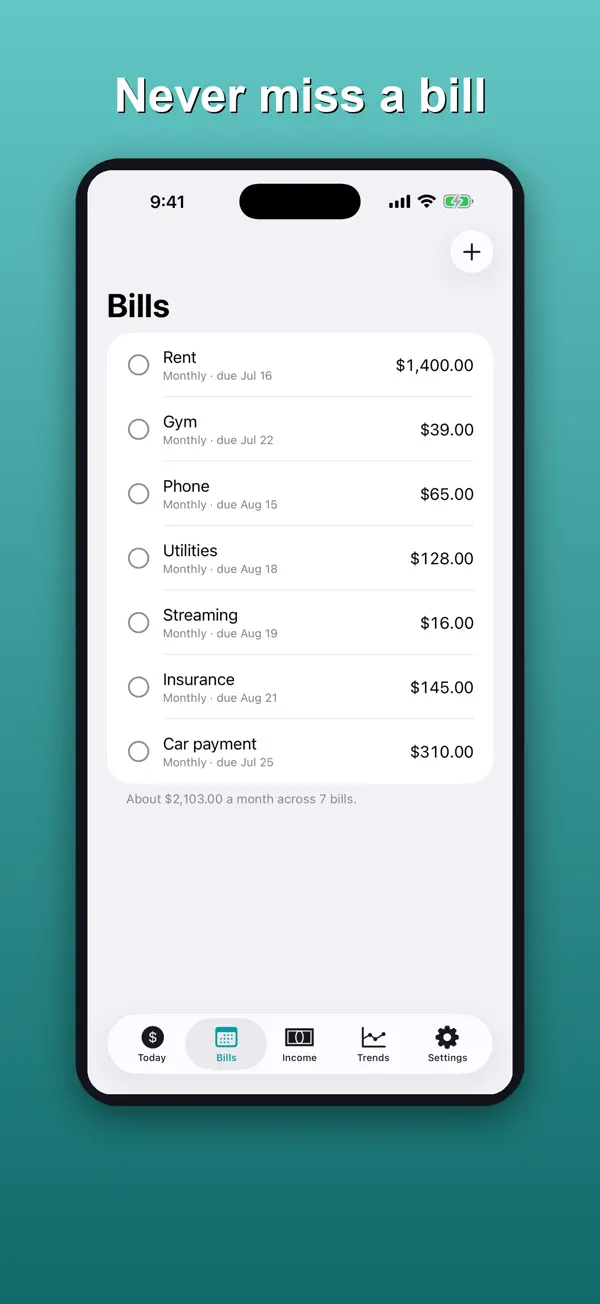
On the Bills tab, tap Add bill for each bill that comes out of your account.
Set your balance
Tap Update balance and type what is in your account right now.
Check Safe to spend
The Today screen shows Safe to spend, your next payday, a per-day amount and the bills still due before payday.
Log what you spend
Tap Log spend when you buy something, and the number adjusts.
Price
Free download with a one-time unlock
- Budget Access unlock: $4.99 one-time
Purchases are billed by Apple through your App Store account. See our refund policy.
Privacy and support
Nothing leaves your phone: there is no account, no bank connection, no analytics and no network request of any kind.
Questions
How much does it cost?
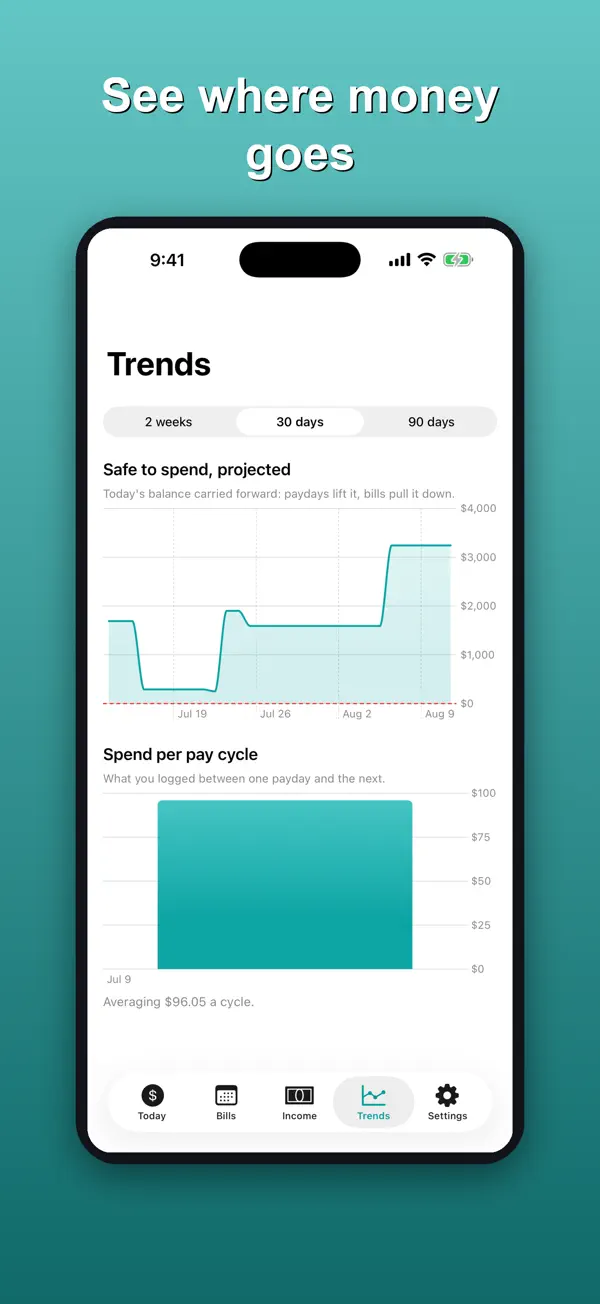
The download is free and covers one income source, up to 5 bills, Safe to spend and spend logging. Budget Access is a $4.99 one-time purchase that adds unlimited bills, multiple income sources, Trends and the safety buffer. It is not a subscription.
Does it connect to my bank?
No. There is no bank linking and no credentials are ever requested. You enter your balance yourself.
What data leaves my phone?
None. There is no account, no cloud, no analytics and no network request of any kind. Everything is calculated and stored on your device.
Is this financial advice?
No. Paycheck Planner is a budgeting tool, not financial advice.
I paid and the features are locked. What do I do?
Tap Restore Purchase in Settings while signed in to the Apple ID you bought with.
More from Rippy Productions
-
Turn a plan into a priced estimate and get cited code answers.
BusinessFlagship Free -
An AI agent desk on your iPhone. No account, no key needed.
Developer ToolsFlagship Free -
Find the stage where you lose matches, then fix that stage.
LifestyleFlagship Free -
Fire alarm battery and NAC voltage drop calcs on your phone.
ProductivityFree